Getting Started with logcat.ai
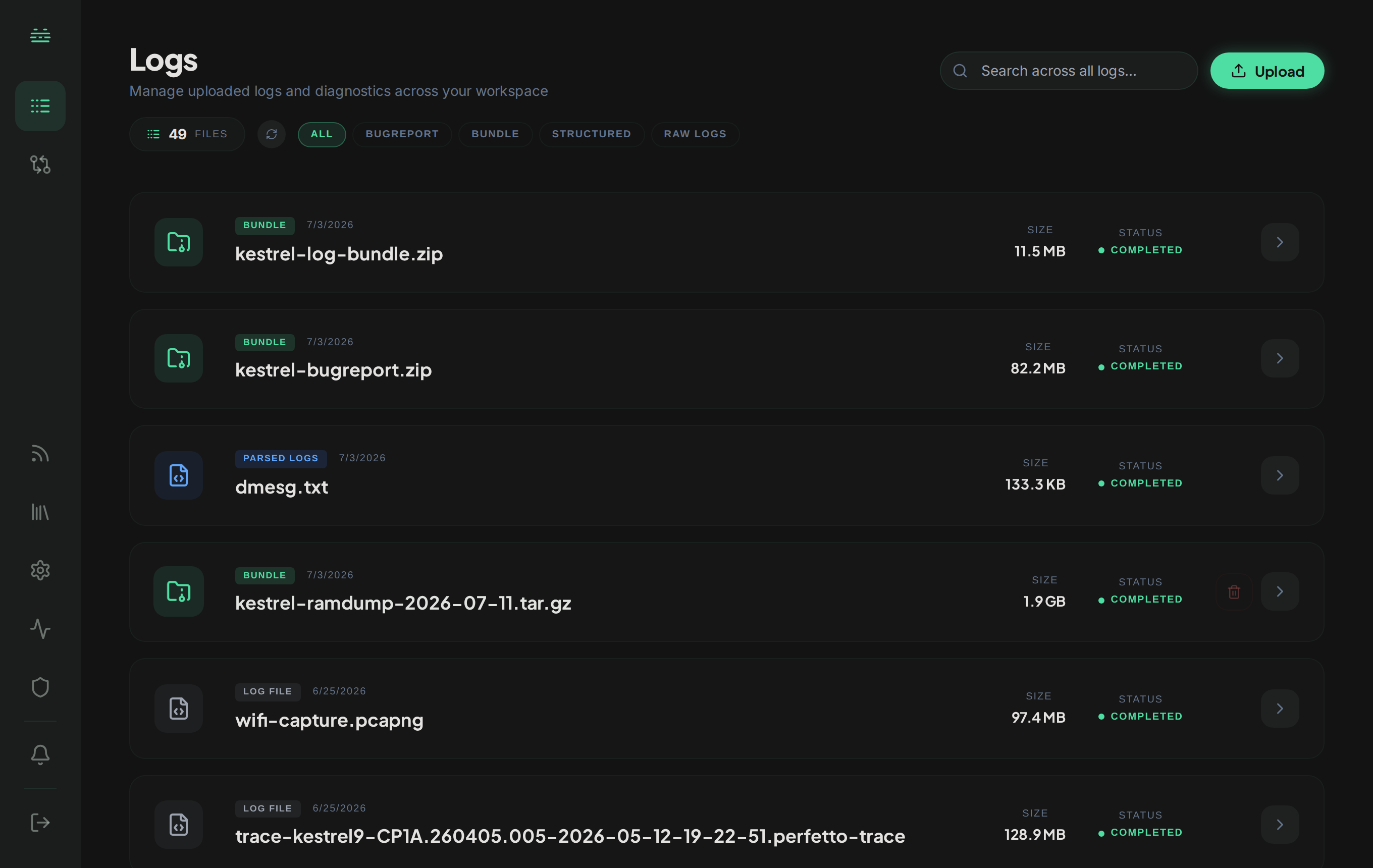
logcat.ai analyzes Android and Linux system logs. Upload a bugreport, logcat, kernel log, capture, or archive, and you get it back analyzed: a dashboard of what’s in it, the issues found, and answers to questions you ask in plain English, each cited back to the log line it came from.
These docs cover everything from your first upload to building integrations against the API.
What you can do with logcat.ai
- Deep Research: a multi-step investigation that works across bugreports, logcat, and dmesg together, correlates events across subsystems, and looks up CVEs and external references as it goes.
- Quick Search: natural-language answers from your logs in under five seconds. “Show memory warnings”, “Find camera HAL issues”.
- Bugreport Analysis: findings across applications, memory, power, network, security, storage, performance, system services, and device info, with the logcat and kernel logs viewable inline.
- Logcat Analysis: automated crash, ANR, and performance issue detection across Android app and system logs, with interactive timelines and severity trends.
- Dmesg / Kernel Analysis: kernel panic, oops, and driver-failure investigation across Ubuntu, Red Hat, Raspberry Pi, embedded boards, and any Linux kernel. Multi-architecture: ARM, x86, MIPS, RISC-V.
- Delta: compare two or more captures of any supported format to isolate what changed across versions, devices, or builds.
What you can upload
logcat.ai works on text-based system logs, multi-file archives, and several binary capture formats it decodes for you:
- Android: bugreport zips (including OEM-nested zips), logcat, ANR traces, tombstones, dumpsys.
- Linux: dmesg, syslog, journalctl exports across ARM, x86, MIPS, RISC-V.
- Telecom: Qualcomm baseband captures uploaded as they came off the device, plus decoded text exports from QXDM/QCAT, MediaTek ELT, and Shannon DM.
- Automotive: AAOS bugreports, VHAL dumps, and CAN bus traces in candump format.
- Network captures:
.pcap/.pcapngandbtsnoopBluetooth HCI logs, decoded and analyzed for network forensics. - Perfetto traces and SQLite snapshots: decoded and analyzed as queryable surfaces, not flattened to text.
- Kernel dumps: Linux core dumps (vmcore) and Qualcomm device ramdump archives, for post-mortem forensics on a machine that crashed hard.
- Multi-file bundles: a
.zip,.7z, or tar archive of logs is unpacked, analyzed file by file, and correlated across the set. - Generic text logs: unknown text formats are auto-classified at ingest.
Upload these as-is. There’s no need to convert, decompress, or label them. Files that aren’t logs (executables, images, PDFs, app packages, raw vendor diagnostic captures) are rejected. See Supported file types for the full list and Uploading for vertical-specific preparation guides.
Who it’s for
Android developers (app to kernel), Android OEMs and BSP teams, Linux kernel developers, telecom and modem engineers, QA, support engineers, embedded-systems engineers, and security researchers.
Quick start
- Sign in at console.logcat.ai with Google OAuth or email.
- Upload a log file: bugreport zip, logcat, or dmesg. See Supported file types for the complete list and size limits.
- Wait for analysis: progress updates live in the console. A typical bugreport takes a couple of minutes; large captures take longer.
- Explore: use Quick Search for fast answers, Deep Research for full investigations, or conversational chat to drill into specifics.
- Share: export findings as PDF or share a public link with citations back to the source log lines.