Multi-file bundles
Multi-file bundles
Real debugging rarely comes down to one file. A single crash arrives as an OEM megadump: a bugreport plus kernel logs, modem traces, a ramdump, and a handful of databases, all zipped together. logcat.ai treats that archive as a bundle. It unpacks the tree, works out what each file is and how the files relate, analyzes each one, then correlates findings across the whole set.
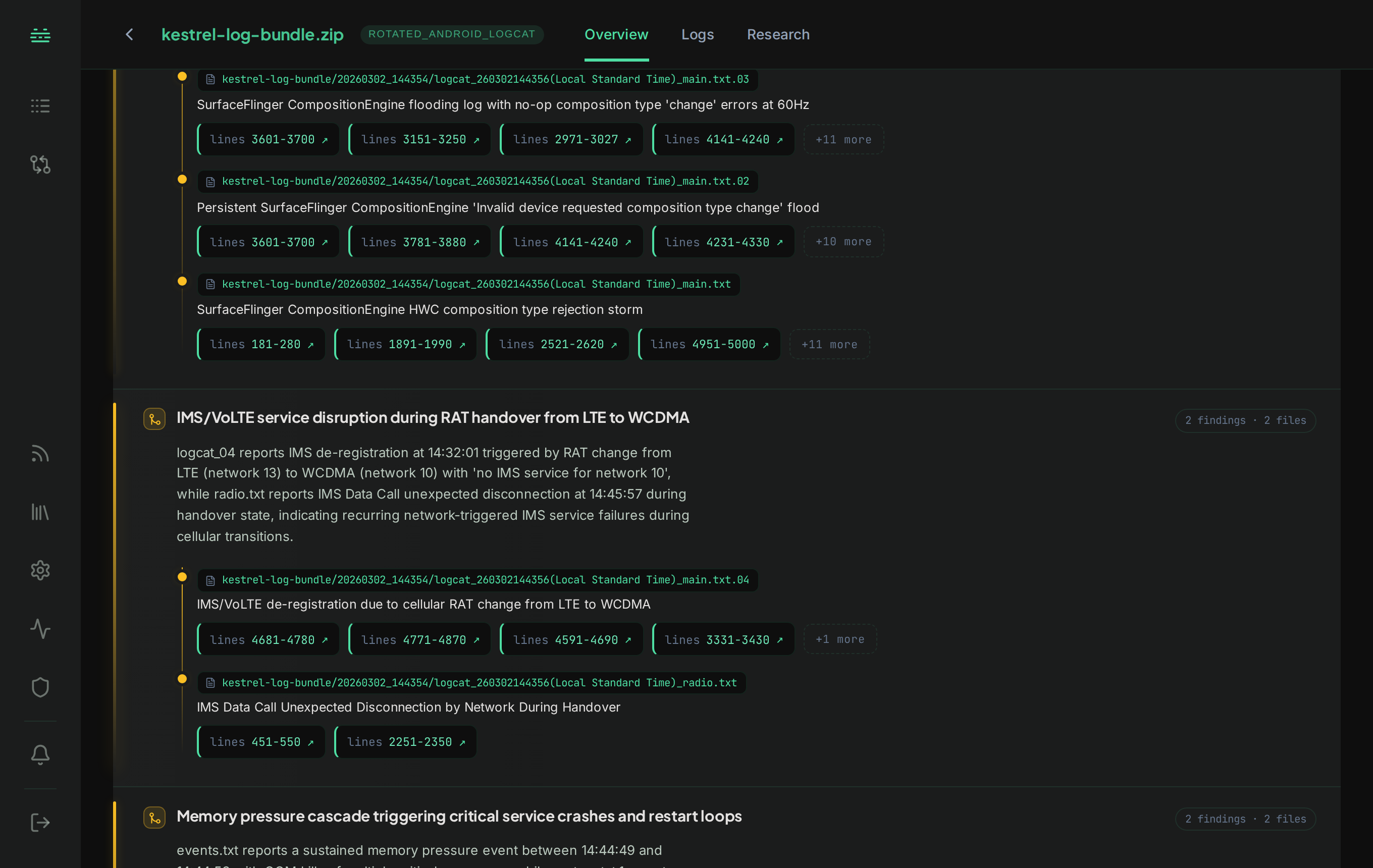
What a bundle is
Upload a multi-file archive (an OEM megadump, a mixed .zip or .tar.gz, a Qualcomm ramdump) and the platform composes it automatically:
- Composition: the archive is unpacked into its child files. Each child is classified on its own (bugreport, logcat, dmesg, pcap, ramdump, database…) and routed to the right analysis path.
- Recognized collections: common archive shapes (an OEM megadump, a ramdump collector’s output) are recognized, so related files are analyzed together rather than in isolation.
- Cross-file correlation: findings roll up to the bundle level. A reference file (for example a fingerprint database) resolves identifiers that appear in sibling logs, so an anonymous MAC or ID in one file becomes a named entity across the whole bundle.
- Per-child dashboards: every analyzable file in the bundle gets its own dashboard and full search, plus a bundle-level roll-up over all of them. You navigate the tree from the bundle’s Logs tab.
Bundles vs Delta
Bundles and Delta solve different problems:
- A bundle is one investigation over a collection of files that belong together: the pieces of a single incident. The platform composes and correlates them into one picture.
- Delta is a comparison across separate files (a working capture vs a failing one, or one build against another) to isolate what changed.
Use a bundle when the files are parts of the same event. Use Delta when you’re diffing two situations.
Ramdump archives are bundles too
A Qualcomm ramdump is a bundle: the kernel dump is one file in it, and any logs shipped alongside it are analyzed as their own files. If you’ve uploaded a matching kernel debug image, the kernel log and logcat recovered from the dump also appear as their own files, each with its own dashboard. See Kernel dumps & References.
Example questions to ask
After uploading a bundle:
- “Correlate the modem reset with the kernel and app-side events.”
- “Which of these files shows the first sign of the failure?”
- “Trace the crash across the bugreport and the ramdump.”
Next
- Analysis output & dashboards: the per-child and bundle-level dashboards.
- Delta Comparison: for diffing separate files instead of composing related ones.
- Kernel dumps & References: the dump-as-bundle case.